
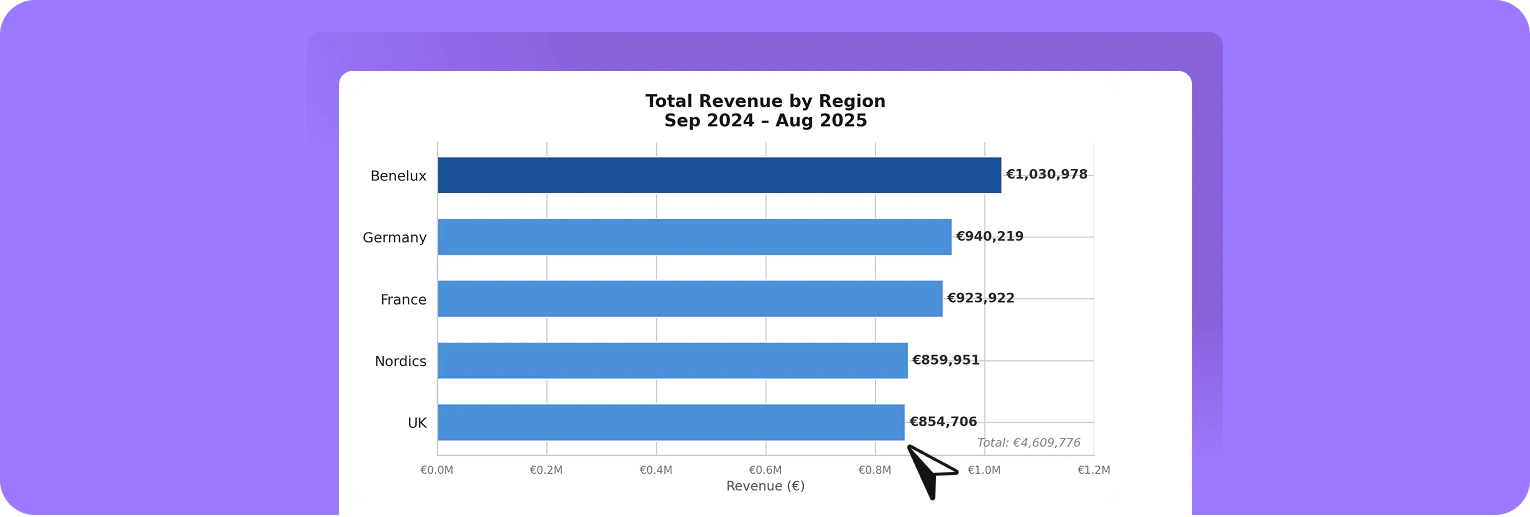
- Summarize data and extract key insights
- Identify trends, patterns, and outliers
- Create charts
- Calculate key metrics
- Generate new files such as Excel sheets, CSV files, PDFs, or PowerPoint presentations
What is Python and how does it help with AI-powered data analysis?Python is a programming language that is especially well-suited for processing and analyzing data. It has a simple structure and is therefore widely used in data analysis and AI applications.When you analyze data with AI, Python handles the actual work in the background:
It reads your files (e.g., Excel or CSV), calculates metrics, identifies patterns, and creates charts or new files if needed.Combined with AI, this means for you:
Describe as clearly as possible what you want to analyze. Python automatically performs the calculations and analysis, delivering clear and easy-to-understand results within seconds—without requiring any programming.
It reads your files (e.g., Excel or CSV), calculates metrics, identifies patterns, and creates charts or new files if needed.Combined with AI, this means for you:
Describe as clearly as possible what you want to analyze. Python automatically performs the calculations and analysis, delivering clear and easy-to-understand results within seconds—without requiring any programming.
How to analyse data
1
Upload file
Upload your dataset, for example an Excel file with sales data by region, product, and month.
2
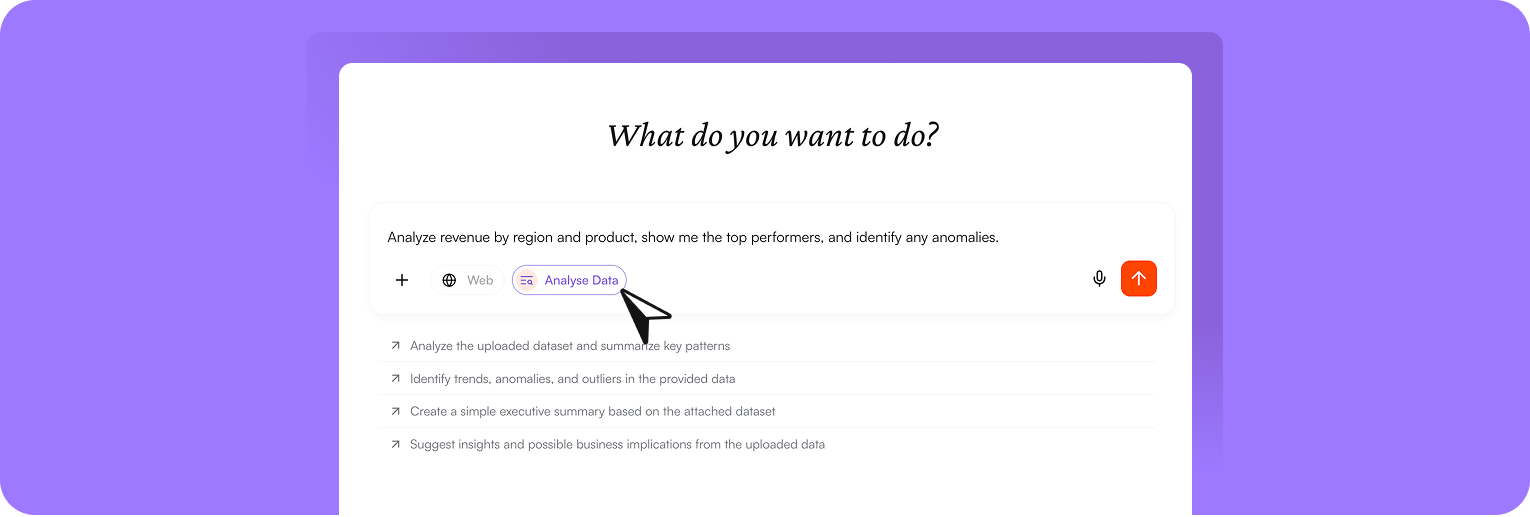
Start analysis
Click “Analyze data” or enter a specific request in the chat, for example: “Analyze revenue by region and product, show me the top performers, and identify any anomalies.”💡Tip: The more specific your request, the better the results.
3
Get results
nuwacom automatically analyzes your data and provides a clear summary, relevant charts (e.g., revenue by region), and actionable insights that you can use directly for decisions or reports.
Continue working with your results
You can directly reuse your analysis results and integrate them into your workflows. For example, you can:- Share the entire chat or individual responses with colleagues to ensure transparency or collaborate further
- Move relevant content into a project to organize and develop it further
- Use the response as a basis for an email, adjust it if needed, and send results quickly
- Turn the results into structured documents and continue editing them in the editor, for example for reports or presentations