> ## Documentation Index
> Fetch the complete documentation index at: https://docs.nuwacom.ai/llms.txt
> Use this file to discover all available pages before exploring further.
# Research
With the “Research” task, you can directly access web search, your internal knowledge, or connected apps within the chat and receive structured, up-to-date results in seconds – without manual searching, comparing, or compiling.
Use suggested prompts to instantly start with common research questions or get inspired, for example:
* *Research global technology trends for the next 5 years*
* *Analyze emerging AI use cases across different industries*
* *Understand workforce and leadership trends for modern organizations*
* *Identify sustainability trends companies should prepare for*
In nuwacom, you research using the most relevant sources – such as the web, internal knowledge, or connected apps. Relevant content is automatically analyzed, filtered, and structured. The sources used are displayed transparently, so you can review and verify results.
## **How it works**
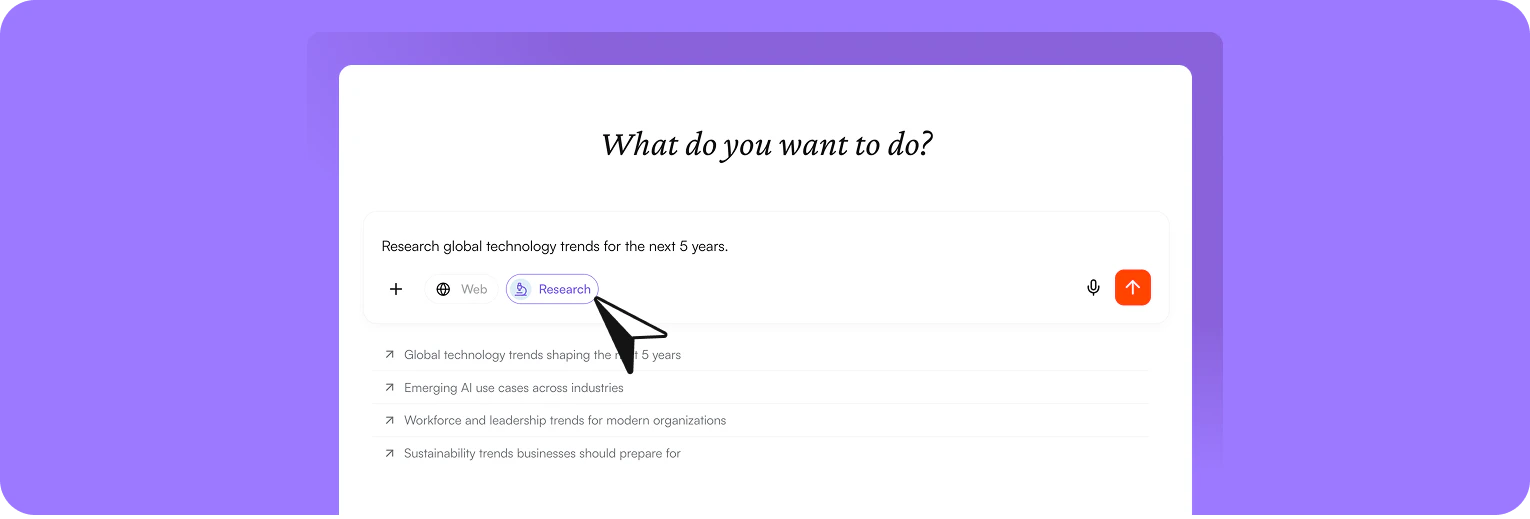 Open the chat and start the “Research” task
Formulate a clear and specific request, for example:\
*“Analyze the key competitors of Canyon in the European e-bike market. Compare positioning, strengths and weaknesses, pricing structure, and key differentiators.”*
Choose the appropriate source to define the context, such as web, internal knowledge, or connected apps. By default, the web is selected.
nuwacom searches the selected sources, analyzes relevant content, and gathers key information about the market, companies, and differences.
You receive a structured competitive analysis with a market overview, company profiles, clear differences between providers, and depending on your request, visualizations such as a positioning matrix.
The sources used are also displayed. This allows you to trace information transparently, assess the quality of the results, and jump directly to the original sources if needed.
Build directly on the results and ask follow-up questions, for example:\
“Which of these competitors are particularly strong in the B2B segment?”\
“How do the marketing strategies of the top 3 providers differ?”
Use the results directly, for example for:
* Market and competitive analysis
* Presentations or strategy documents
* Decision-making within your team
This allows you to move seamlessly from research to execution.
## **Work seamlessly with your results**
You can directly reuse your analysis results and integrate them into your workflows. For example, you can:
* share the entire chat or individual responses with colleagues to ensure transparency or collaborate further
* move relevant content into a project or knowledge folder to structure and expand it
* use the response as a basis for an email, adjust it if needed, and send results quickly
* create structured documents from the results and continue editing them in the editor, for example for reports or presentations
Open the chat and start the “Research” task
Formulate a clear and specific request, for example:\
*“Analyze the key competitors of Canyon in the European e-bike market. Compare positioning, strengths and weaknesses, pricing structure, and key differentiators.”*
Choose the appropriate source to define the context, such as web, internal knowledge, or connected apps. By default, the web is selected.
nuwacom searches the selected sources, analyzes relevant content, and gathers key information about the market, companies, and differences.
You receive a structured competitive analysis with a market overview, company profiles, clear differences between providers, and depending on your request, visualizations such as a positioning matrix.
The sources used are also displayed. This allows you to trace information transparently, assess the quality of the results, and jump directly to the original sources if needed.
Build directly on the results and ask follow-up questions, for example:\
“Which of these competitors are particularly strong in the B2B segment?”\
“How do the marketing strategies of the top 3 providers differ?”
Use the results directly, for example for:
* Market and competitive analysis
* Presentations or strategy documents
* Decision-making within your team
This allows you to move seamlessly from research to execution.
## **Work seamlessly with your results**
You can directly reuse your analysis results and integrate them into your workflows. For example, you can:
* share the entire chat or individual responses with colleagues to ensure transparency or collaborate further
* move relevant content into a project or knowledge folder to structure and expand it
* use the response as a basis for an email, adjust it if needed, and send results quickly
* create structured documents from the results and continue editing them in the editor, for example for reports or presentations